
Pick a vibe.
Explore the three views.
Switch between Halo, Console and Aurora and change the mood to see how NOMEN shows your beat. The names are real NOMEN examples.
Example names generated by NOMEN. In the plugin, your own audio is analysed and every analysis brings eight new names — with styles, name worlds, languages and one-click file names.
Read it your way.
Same analysis, three layouts. Switch in one click from the top bar.
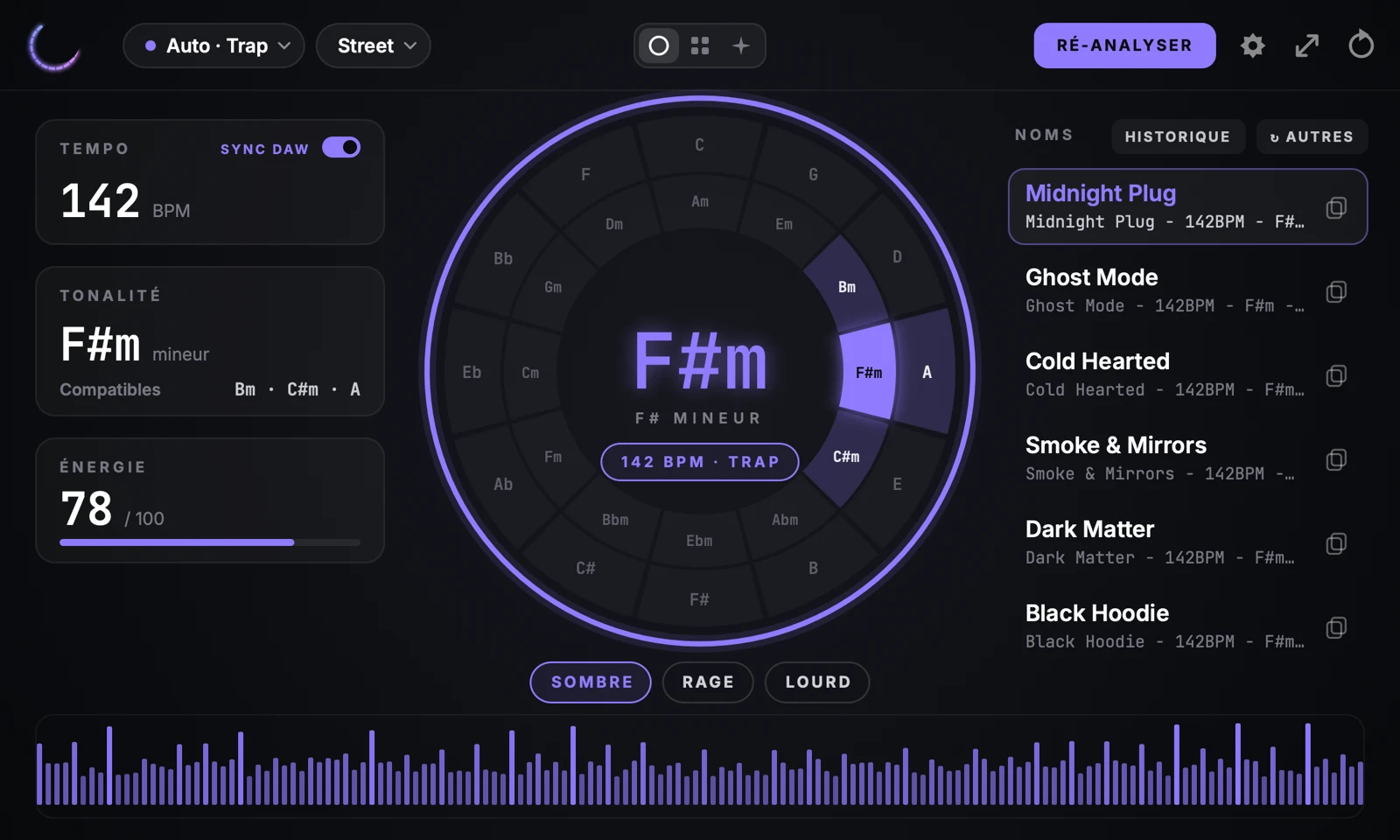
HALO
The detected key glows at the centre of a circle of fifths, with tempo, energy and compatible keys around it — and the names right beside.
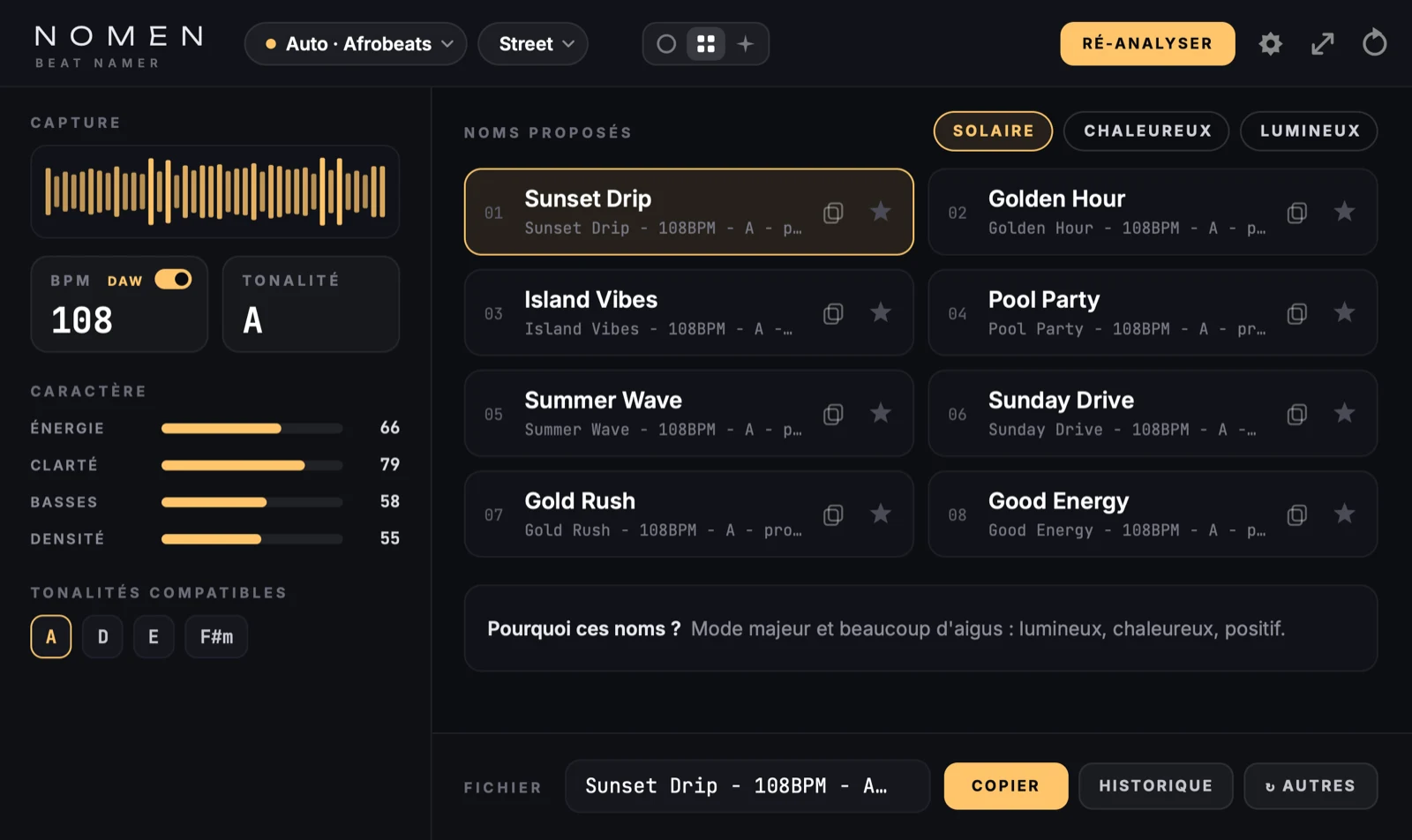
CONSOLE
Everything at once: the capture, BPM and key, the character of the beat, eight names with their file names, and why NOMEN chose them.
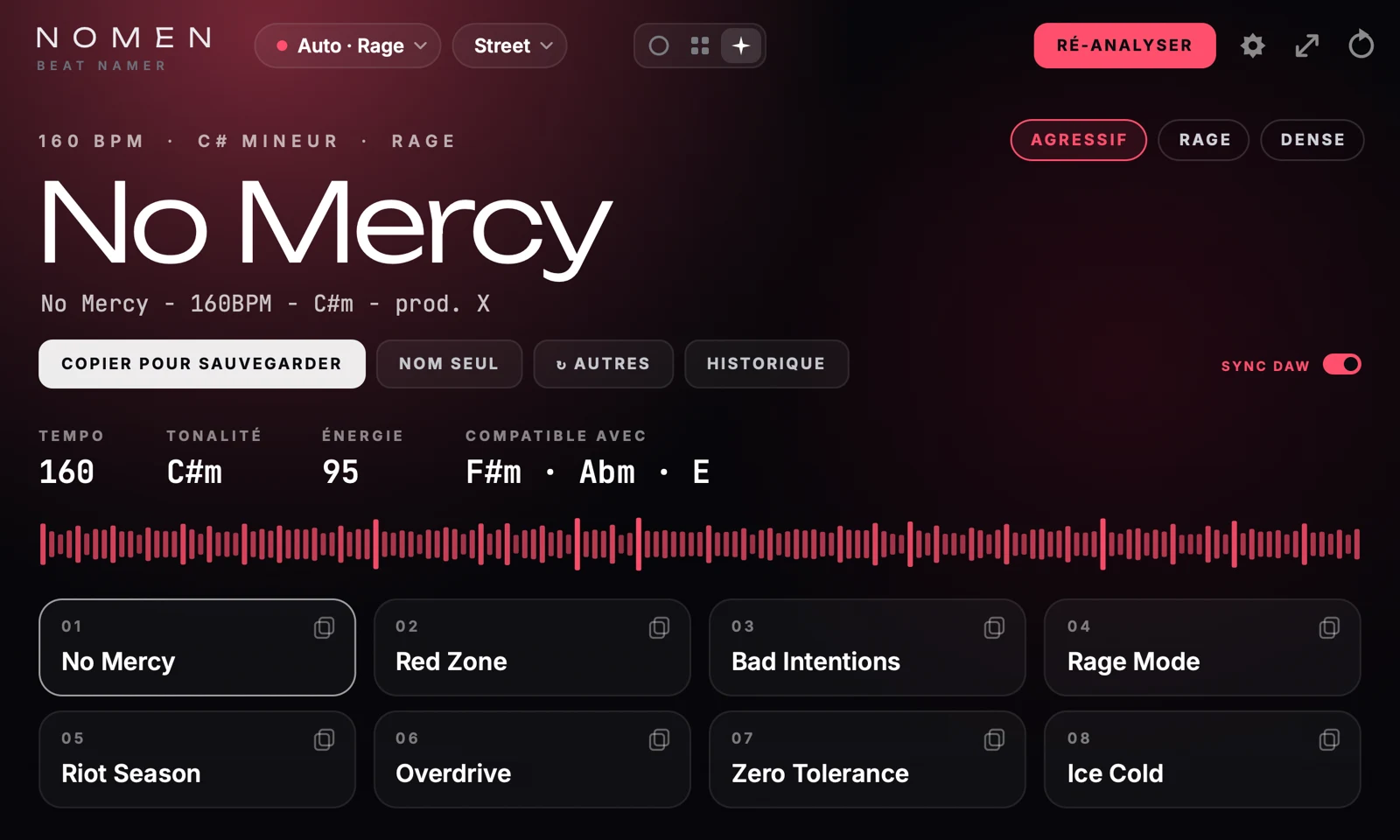
AURORA
One huge name over a waveform painted in the colour of the mood. Made for the moment you hit play and need a title — now.
From the beat
to the file name.
Tempo & key
Detected from your audio, or synced with your DAW’s tempo — plus the three keys that sound good with yours.
Mood analysis
Energy, clarity, bass and density place your beat in one of five moods, which steer the vocabulary.
- Dark
- Melancholic
- Sunny
- Aggressive
- Dreamy
8 names per analysis
In French, in English or both — single words, poetic phrases, street names and more, never two alike.
40+ styles, 10 name worlds
From Trap and Drill to Afrobeats, Lo-fi and Synthwave, and ten worlds of names to explore.
- Street
- Poetic
- Places
- Emotions
- Night & sky
- Sci-fi
File name ready to paste
One click copies “Name - 142BPM - F#m - prod. X”. Pick your tag style: prod. X, (prod. X), @X or X.
Never the same twice
NOMEN remembers every name you use and never proposes it again. Star your favourites, browse your history.
Tech specs
- Formats
- VST3, AU
- System
- macOS & Windows
- Names per analysis
- 8
- Languages
- French, English, or both
- Styles
- 40+, in 7 families
- Name worlds
- 10
- Moods
- Dark, Melancholic, Sunny, Aggressive, Dreamy
- Display modes
- Halo, Console, Aurora
Instant download
Your license key and installers arrive by email right after purchase.
Use it everywhere
Install on up to 3 of your own computers, Mac or PC.
Free updates
Every 1.x update is free for life. No subscription, ever.
Secure checkout
Payments by Stripe. VAT handled automatically.
Questions
Which DAWs are supported?
Any host that loads VST3 or AU plugins: Ableton Live, Logic Pro, FL Studio, Cubase, Studio One, Reaper, Bitwig and more. Also available as a standalone app: .
Does it work on Mac and Windows?
On macOS and Windows: NOMEN. macOS only for now: , with Windows versions planned.
Is there Pro Tools (AAX) support?
Not yet. AAX is on the roadmap: join the launch list to hear when it lands.
How much does it cost?
Prices are in US dollars, excluding taxes: your country’s VAT or sales tax is calculated and shown at checkout, before you pay. Payment is secured by Stripe (card and other local payment methods).
What’s the launch list?
Leave your email on a plugin’s page: we’ll tell you the day it launches, with a launch price reserved for the list. No spam, one-click unsubscribe.
How do I get my plugin?
Right after purchase, you get an email with your license key and the Mac and Windows download links. Everything also stays in your account: log in with your purchase email, we send you a code, no password to remember.
My Mac blocks the installer. Is that normal?
Yes: our installers aren’t signed by Apple yet. After the first double-click, open System Settings → Privacy & Security, scroll down to Security and click Open Anyway. On Windows, click More info → Run anyway. The step-by-step guide is in your account.
How does activation work?
Paste your key into the plugin once (an internet connection is needed for that moment only) and you’re done. Each license activates on up to 3 computers; changing machines? Free one from your account. Lost your key? It’s always in your account.
Are updates paid?
No: every 1.x update is free, no subscription. We email you when one is out and you download it from your account.
Can I get a refund?
Plugins are digital goods delivered instantly, so there’s no 14-day return once your license is delivered. But if a plugin doesn’t work on a supported system and we can’t fix it within 14 days, you get a full refund. See the terms of sale.
Can I try before I buy?
Every plugin page has an interactive demo you can play with right in your browser. A downloadable trial is coming soon.