
Pick a vibe.
Explore the three views.
Switch between Halo, Console and Aurora and change the mood to see how NOMEN shows your beat. The names are real NOMEN examples.
Example names generated by NOMEN. In the plugin, your own audio is analysed and every analysis brings eight new names — with styles, name worlds, languages and one-click file names.
Read it your way.
Same analysis, three layouts. Switch in one click from the top bar.
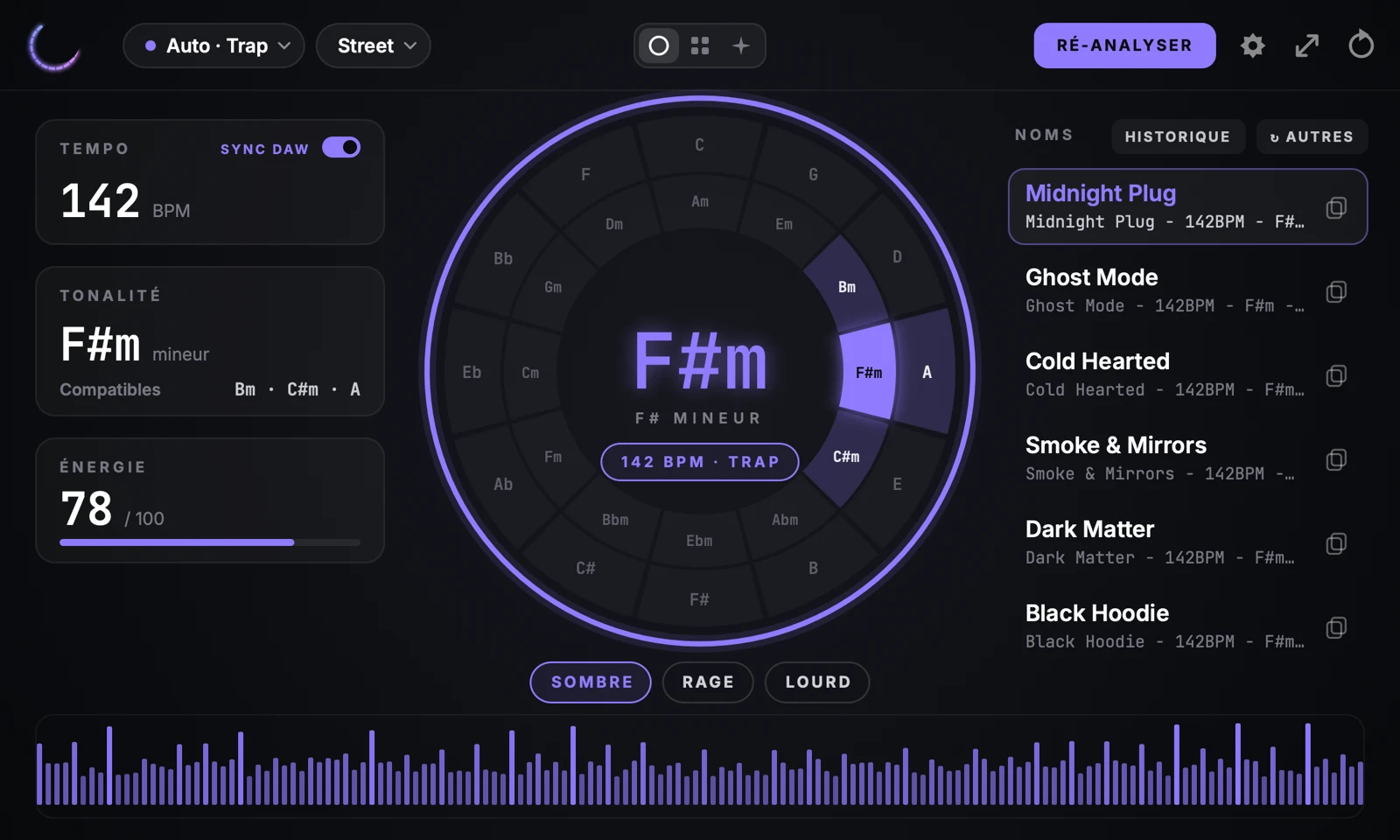
HALO
The detected key glows at the centre of a circle of fifths, with tempo, energy and compatible keys around it — and the names right beside.
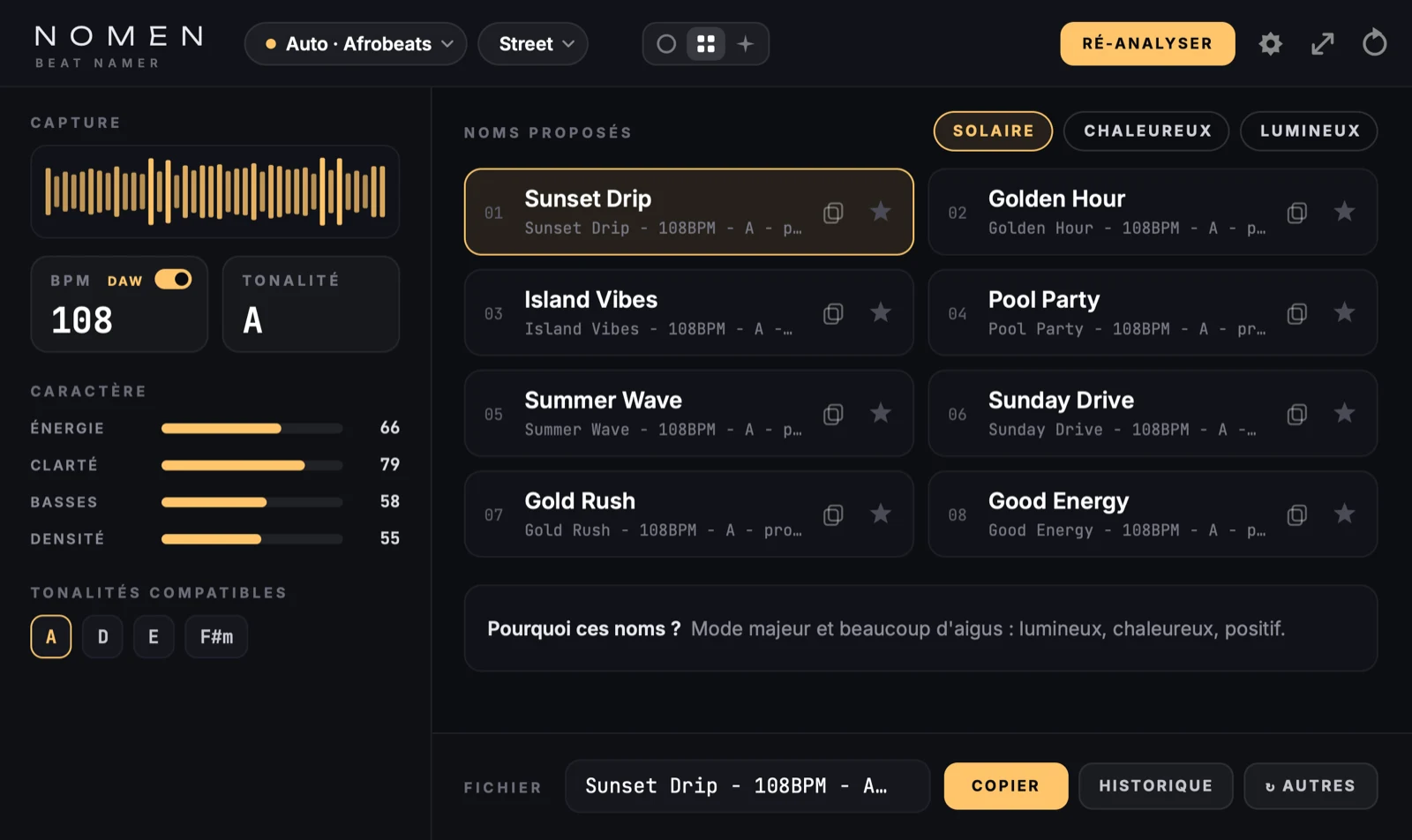
CONSOLE
Everything at once: the capture, BPM and key, the character of the beat, eight names with their file names, and why NOMEN chose them.
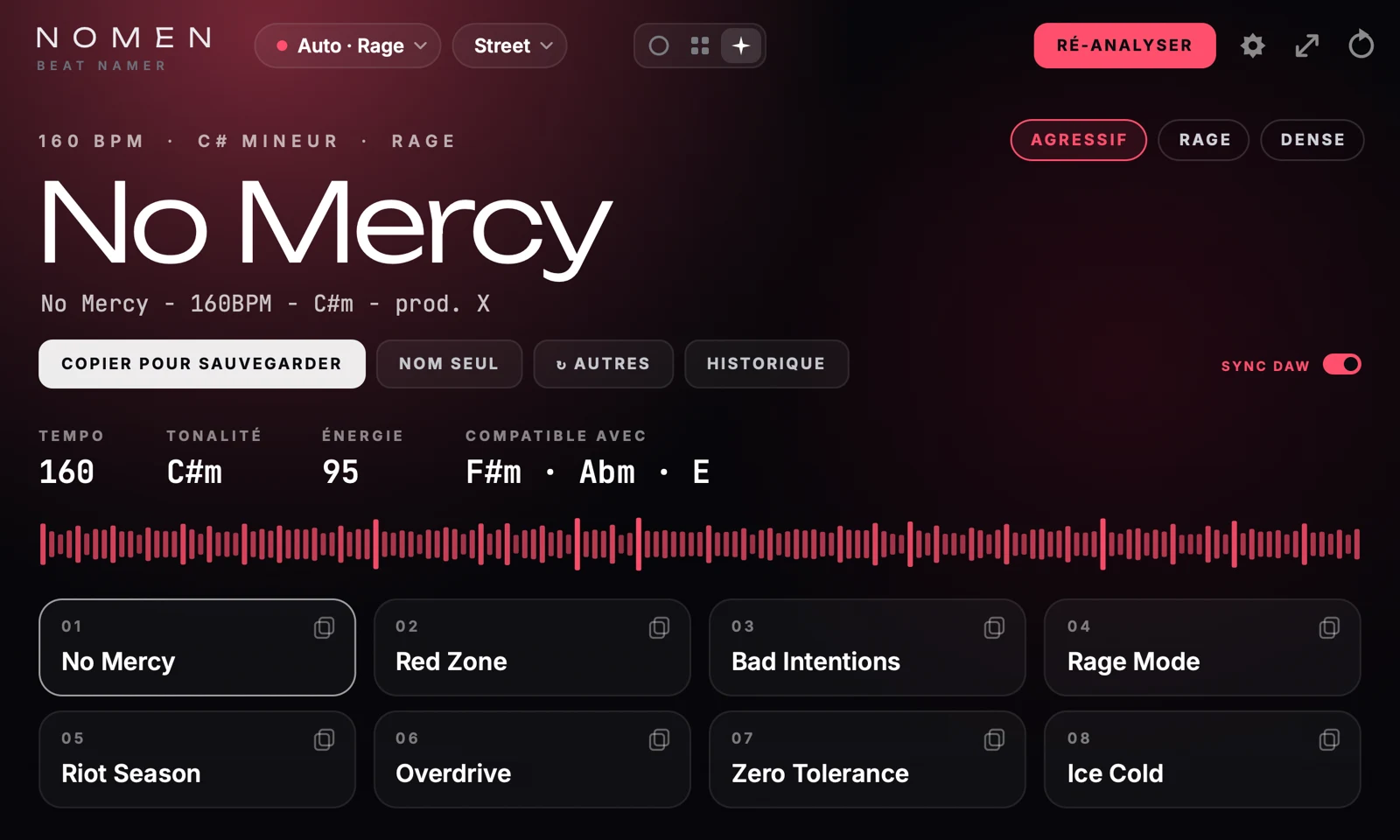
AURORA
One huge name over a waveform painted in the colour of the mood. Made for the moment you hit play and need a title — now.
From the beat
to the file name.
Tempo & key
Detected from your audio, or synced with your DAW’s tempo — plus the three keys that sound good with yours.
Mood analysis
Energy, clarity, bass and density place your beat in one of five moods, which steer the vocabulary.
- Dark
- Melancholic
- Sunny
- Aggressive
- Dreamy
8 names per analysis
In French, in English or both — single words, poetic phrases, street names and more, never two alike.
40+ styles, 10 name worlds
From Trap and Drill to Afrobeats, Lo-fi and Synthwave, and ten worlds of names to explore.
- Street
- Poetic
- Places
- Emotions
- Night & sky
- Sci-fi
File name ready to paste
One click copies “Name - 142BPM - F#m - prod. X”. Pick your tag style: prod. X, (prod. X), @X or X.
Never the same twice
NOMEN remembers every name you use and never proposes it again. Star your favourites, browse your history.
Tech specs
- Formats
- VST3, AU
- System
- macOS & Windows
- Names per analysis
- 8
- Languages
- French, English, or both
- Styles
- 40+, in 7 families
- Name worlds
- 10
- Moods
- Dark, Melancholic, Sunny, Aggressive, Dreamy
- Display modes
- Halo, Console, Aurora